260413
Backlinks (0)
No backlinks found.
 260413
No backlinks found.
Separating Claude Code Personal Sub and Claude Code Company Subalias cc="CLAUDE_CODE_NO_FLICKER=1 claude --dangerously-skip-permissions --teammate-mode auto"alias ccl="CLAUDE_CODE_NO_FLICKER=1 CLAUDE_CODE_USE_VERTEX=1 CLOUD_ML_REGION=global ANTHROPIC_VERTEX_PROJECT_ID=tech-innovation-prod ANTHROPIC_MODEL=claude-opus-4-6[1m] ANTHROPIC_DEFAULT_OPUS_MODEL=claude-opus-4-6[1m] claude --dangerously-skip-permissions --teammate-mode auto"It's surprisingly easy
Locking your Mac with Command+LThe only thing I missed about my Windows computer was locking the screen since I was so used to locking my computer with ⊞Win+L. Mac offered an alternative called the Hot Corner. But it never was so intuitive and fast as pressing ⊞Win+L. However, Mac now supports locking the computer by pressing ⌘Command+L from macOS Mojave.
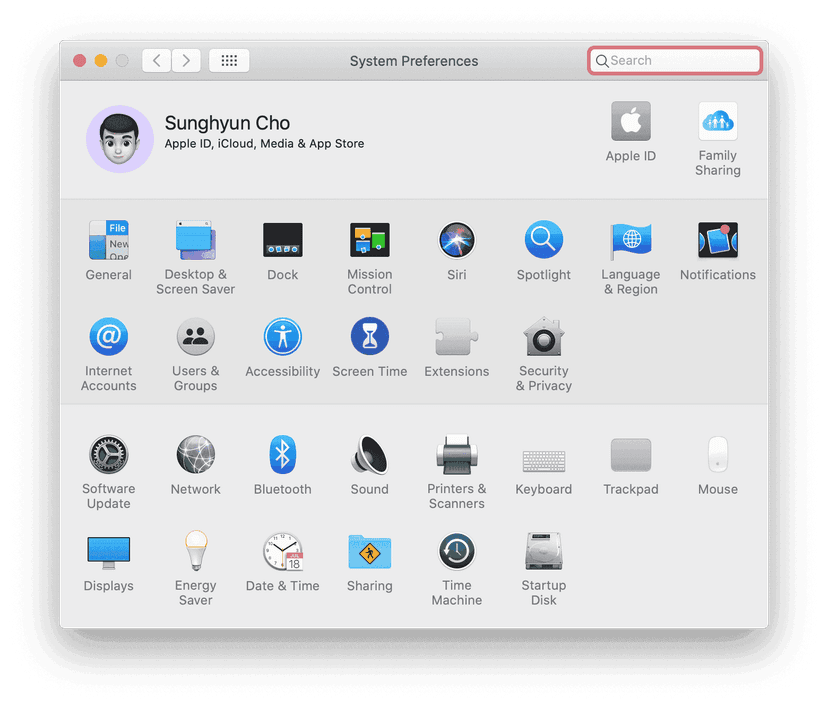
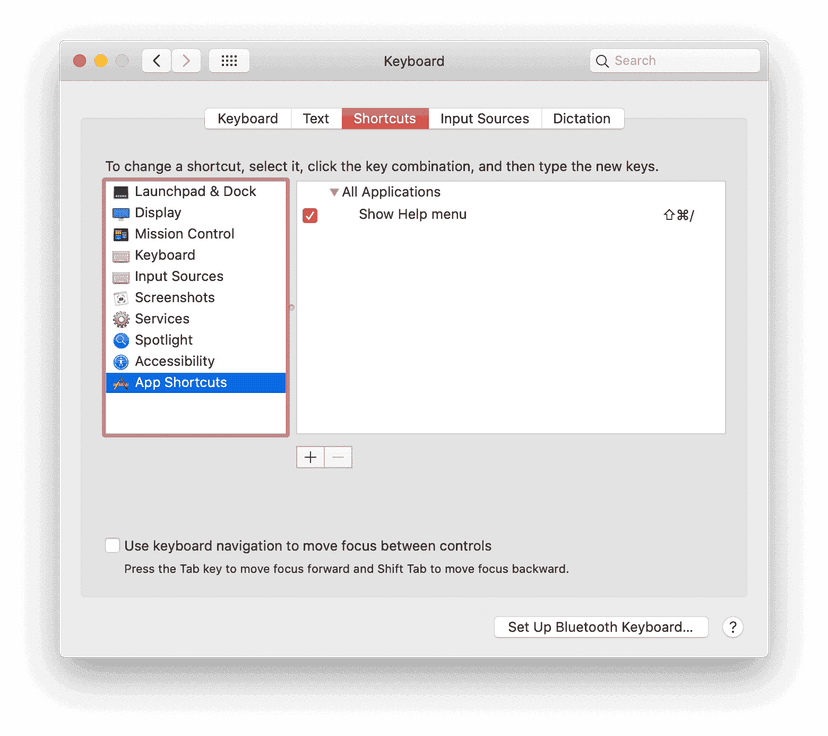
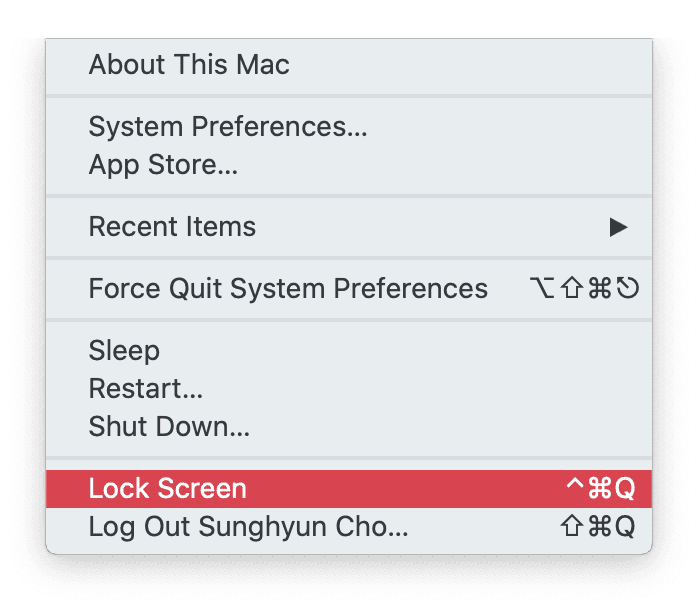
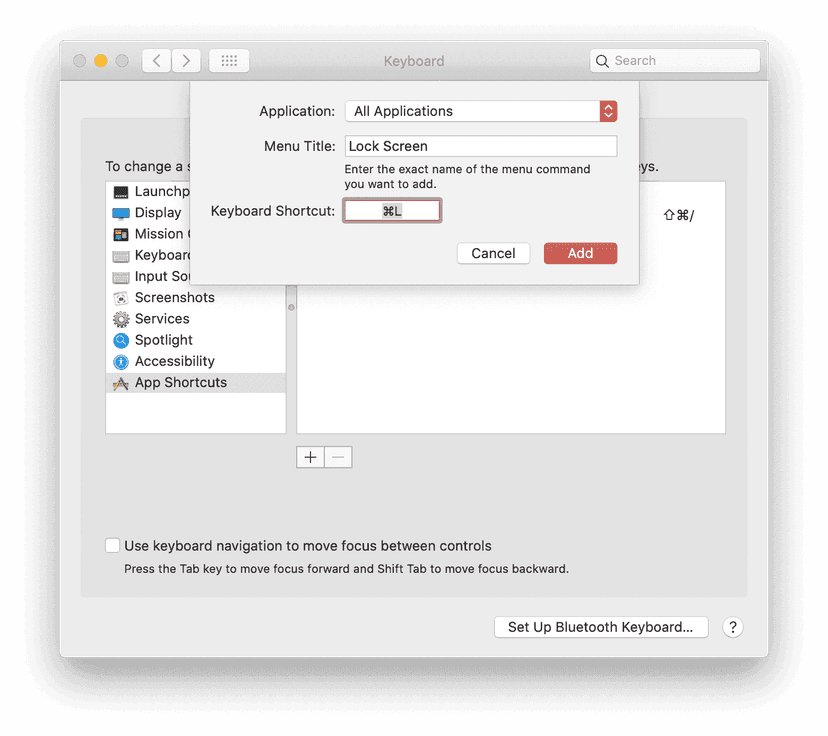
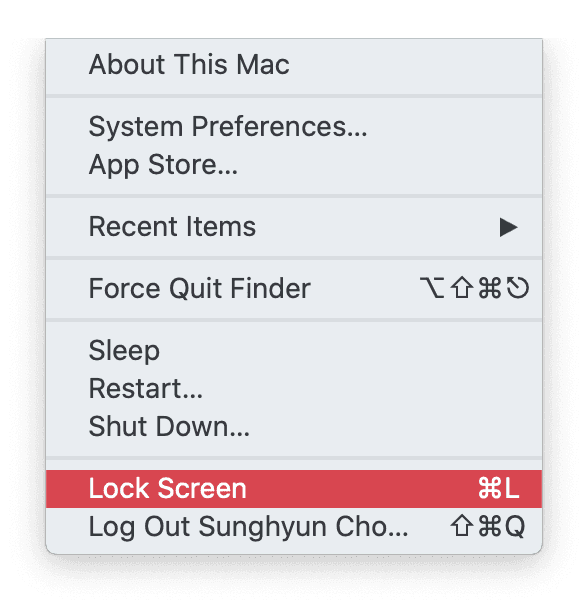
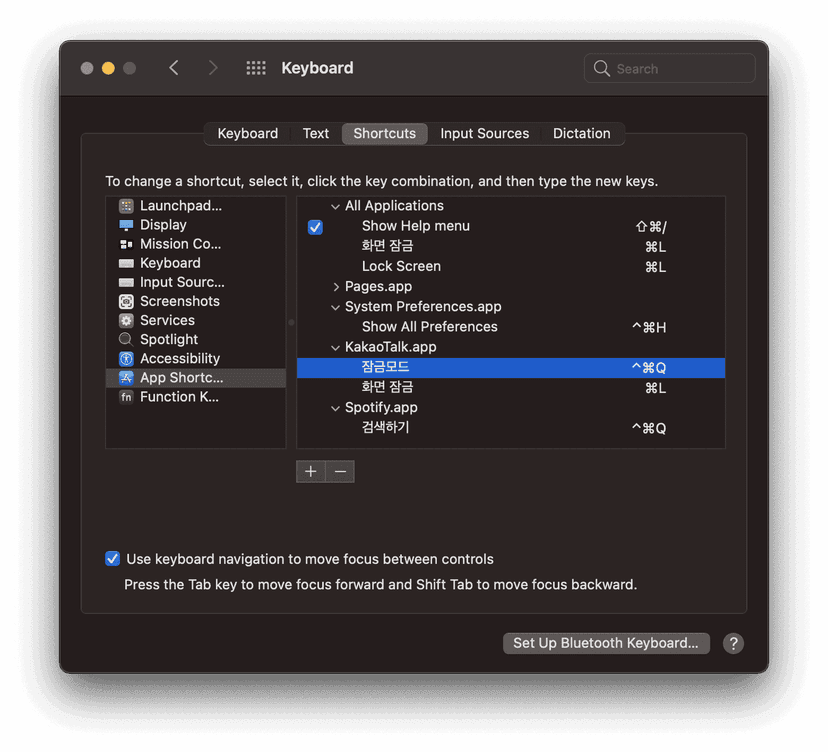
This method works in almost every case. Sometimes, the app will have ⌘Command+L as its Keyboard Shortcut. One example is the System Preferences app that uses the ⌘Command+L as going to the Lobby of System Preferences. I have never seen any other cases where ⌘Command+L doesn't work as expected.
 Index
Indexalias cc="CLAUDE_CODE_NO_FLICKER=1 claude --dangerously-skip-permissions --teammate-mode auto"alias ccl="CLAUDE_CODE_NO_FLICKER=1 CLAUDE_CODE_USE_VERTEX=1 CLOUD_ML_REGION=global ANTHROPIC_VERTEX_PROJECT_ID=tech-innovation-prod ANTHROPIC_MODEL=claude-opus-4-6[1m] ANTHROPIC_DEFAULT_OPUS_MODEL=claude-opus-4-6[1m] claude --dangerously-skip-permissions --teammate-mode auto"