260414
Backlinks (0)
No backlinks found.
 260414
No backlinks found.
I prefer CLIWhy? Multi-tenant environments. First, we need to understand a few differences between environments:
So
Most people physically separate their tenancy, such as Claude Code, from their personal vs. work laptops. So in most cases, it's not a big deal.
But when you need multi-tenancy, it becomes super stressful. For example, say you have two different toolkits:
Most MCP auth states or code harnesses don't support profiles, so you can only log in to one.
So therefore... a natural evolution was to have both:
to physically isolate tenancies.
Now we've solved the multiple-profile issue, but the client's problems persist. Now let's get back to the environments:
All MCP auth or toolkit auth info should always be saved in the Agent Runtime Environment IMHO. However, a surprising number of harnesses tie them to the LLM server (such as Codex Apps or Claude.ai Plugins) or put them in the end-user UI (Claude Desktop or Codex Desktop).
Now the problem is:
The only way to reliably isolate different auth information is thus:
Then
are both isolated VPS, and
This way, you can provide different toolkits, creating multiple dev environments.
Locking your Mac with Command+LThe only thing I missed about my Windows computer was locking the screen since I was so used to locking my computer with ⊞Win+L. Mac offered an alternative called the Hot Corner. But it never was so intuitive and fast as pressing ⊞Win+L. However, Mac now supports locking the computer by pressing ⌘Command+L from macOS Mojave.
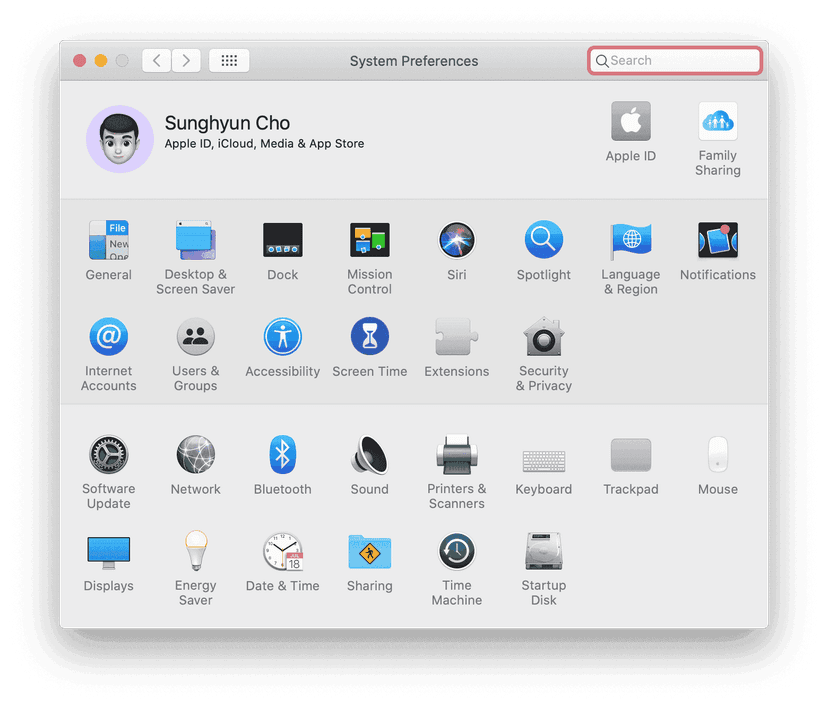
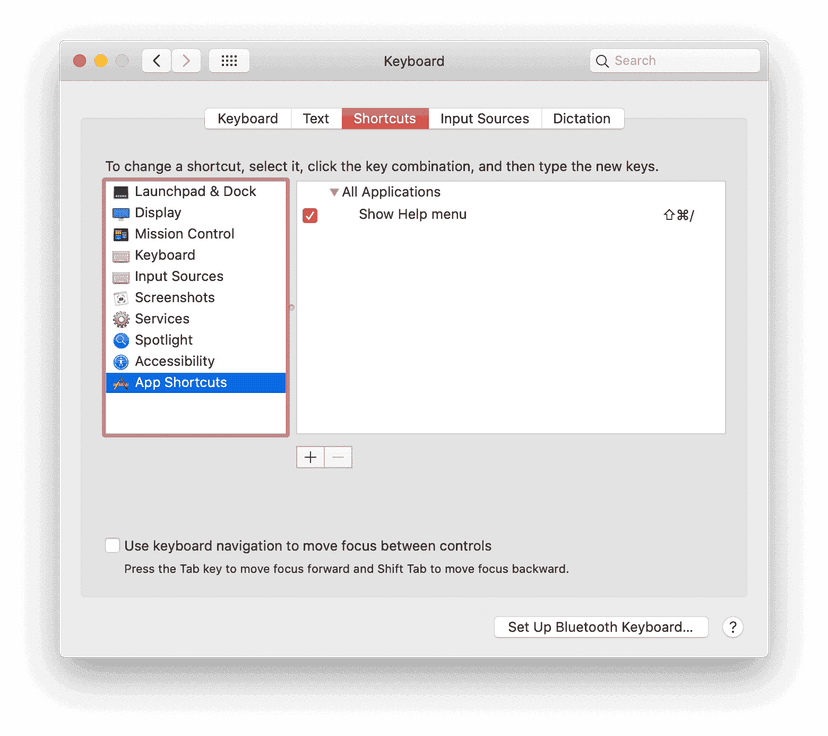
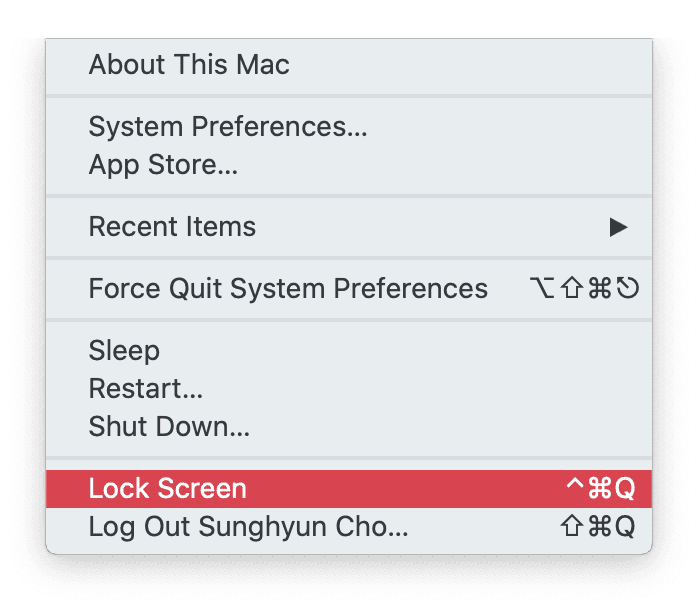
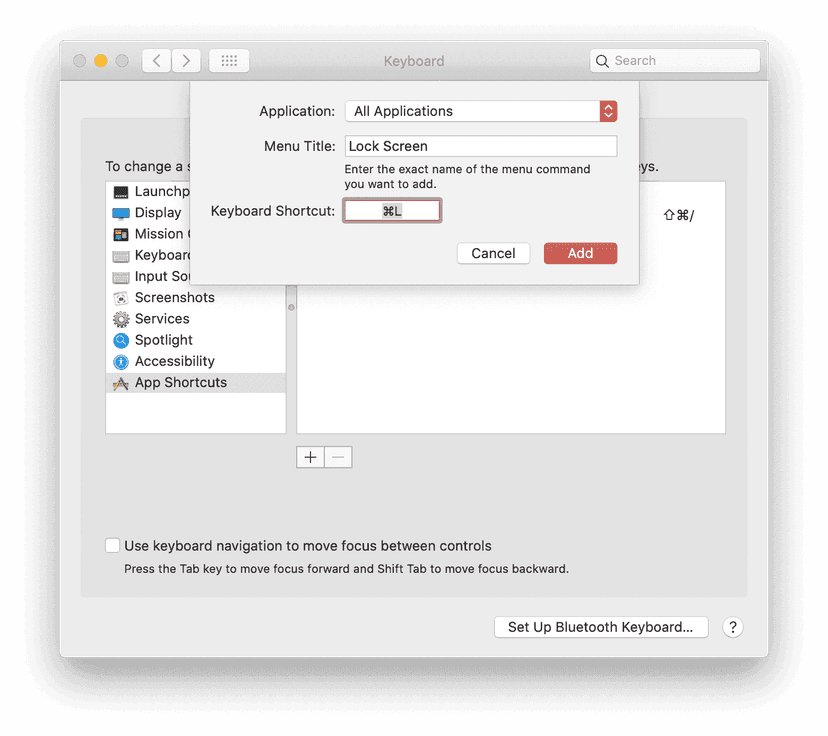
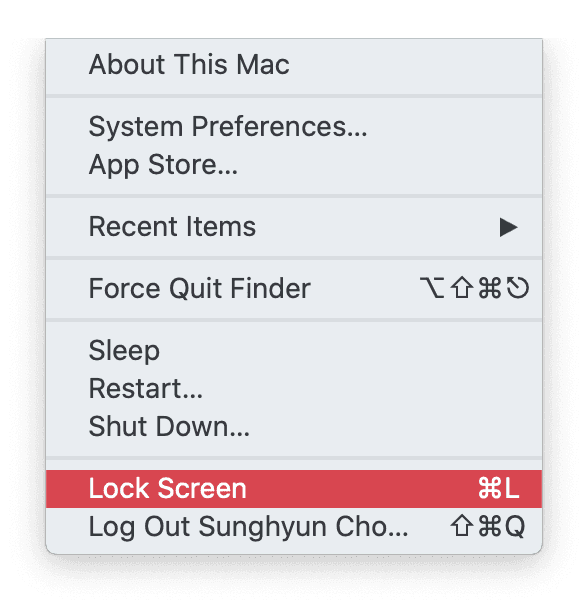
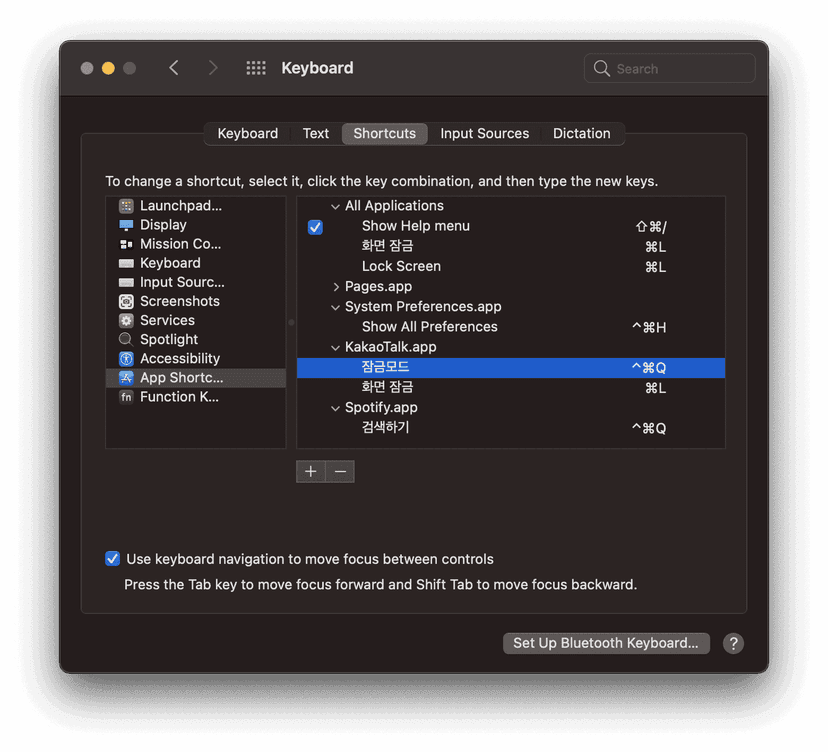
This method works in almost every case. Sometimes, the app will have ⌘Command+L as its Keyboard Shortcut. One example is the System Preferences app that uses the ⌘Command+L as going to the Lobby of System Preferences. I have never seen any other cases where ⌘Command+L doesn't work as expected.
 Index
Index