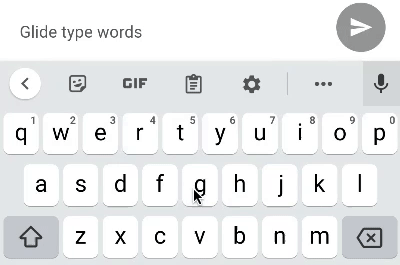
Glide Typing task in Crowdsource app uses a new Google keyboard to type a word by sliding a finger across keys without lifting the finger, as shown in the animation below.

To make the Glide Typing task more challenging, instead of a normal keyboard, we have a special linear keyboard K that has all the keys in one row.
Imagine that you want to type a word S that is N characters long. The linear keyboard K has M keys. It is guaranteed that the keys cover all characters in S. However, some of the keys may be duplicates. In other words, for each character in S, there is one or more keys in K mapped to the character. Note that, all characters and keys are represented as integers.
You may start with your finger on any key. It takes 1 second to move your finger from a key to an adjacent key. Due to Glide Typing, there is no pressing a key. If the finger is currently at the key i which has character K_i, and we want to type the character K_j at index j, we will glide the finger from the key i to the key j, which takes ∣j−i∣ seconds. If your finger is at key x, you can type character K_x any number of times instantly. You need to type string S character by character. Formally, you need to type S_i before S_i+1 for each 1≤i≤N−1.
For example, suppose the word S has characters: 1, 2, 2, 3, 4. You can start by keeping your finger on key with character 1 on the keyboard which is at index i. Then you glide your finger to key which has character 2 which is at index j. It would take ∣j−i∣ seconds. In order to type character 2 two times in string S, you can do that in no additional time as ∣j−j∣=0 seconds. Then you can continue to glide your finger to type the other characters in the word S sequentially.
Can you calculate the minimal time needed to type the word?
The first line of the input gives the number of test cases, T. T test cases follow.
The first line of each test case contains one integer N: the length of the word S.
The second line of each test case contains N integers: each S_i is the character at the i-th index.
The third line of each test case contains one integer M: the length of the keyboard K.
The fourth line of each test case contains M integers: each K_i is the character at the i-th key.
For each test case, output one line containing the minimal time needed to type the word. Case #$x$: $y$, where x is the test case number (starting from 1) and y is the minimal time needed to type S on the keyboard K.